Make the most of 95 Literacy Intervention System™ this school year
95 Literacy Intervention System includes many features designed to support instruction, data use, and intervention management. This page highlights a selection of key features to help your team start the school year strong, with links to knowledge base articles for additional guidance.
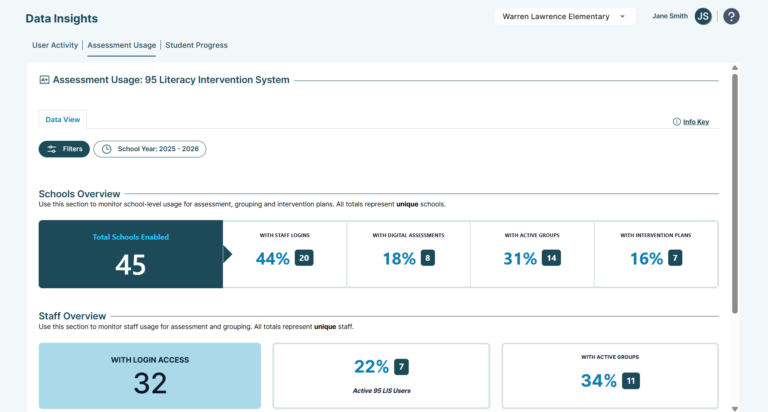
Assessment Usage Dashboard
The Assessment Usage Dashboard gives administrators, school leaders, and teachers real-time visibility into how 95 Literacy Intervention System is being used across the district, schools, and grades. School, staff, and student data are unified in one intuitive view, making it easier to monitor implementation, allocate resources, recognize strong participation, and demonstrate impact.
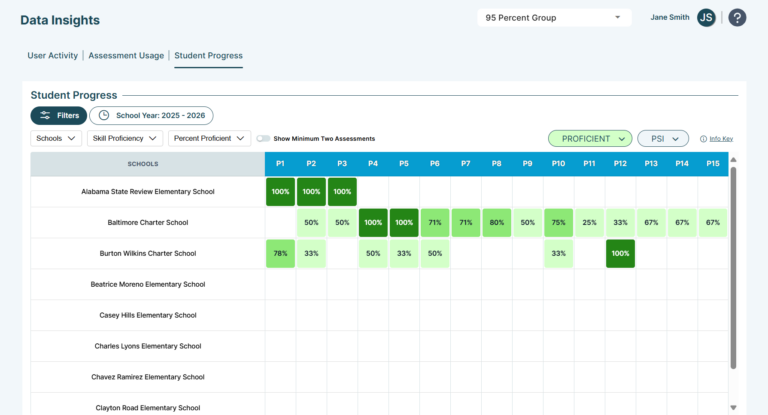
School and district admin data reporting
A dedicated section in Data Insights displays aggregated student progress data for 95 Phonics Screener for Intervention™ (95 PSI™) and 95 Phonemic Awareness Screener for Intervention™ (95 PASI™) at the district, school, and grade level. Administrators can monitor skill acquisition and identify trends through a streamlined heatmap view with flexible filtering by school, grade, and date range.
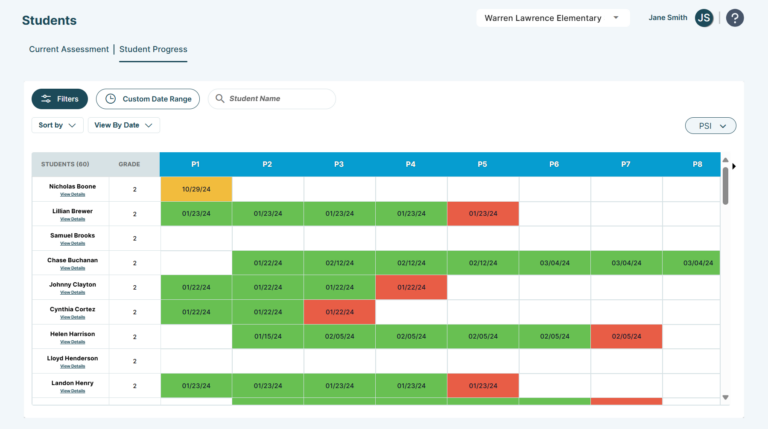
Student data view
The Students section provides quick access to current and historical assessment data for every student, including results from 95 PSI and 95 PASI. Enhanced filtering and sorting options make it easier to group students accurately, and multiple export formats — PDF and CSV — support reporting and integration with other data platforms.
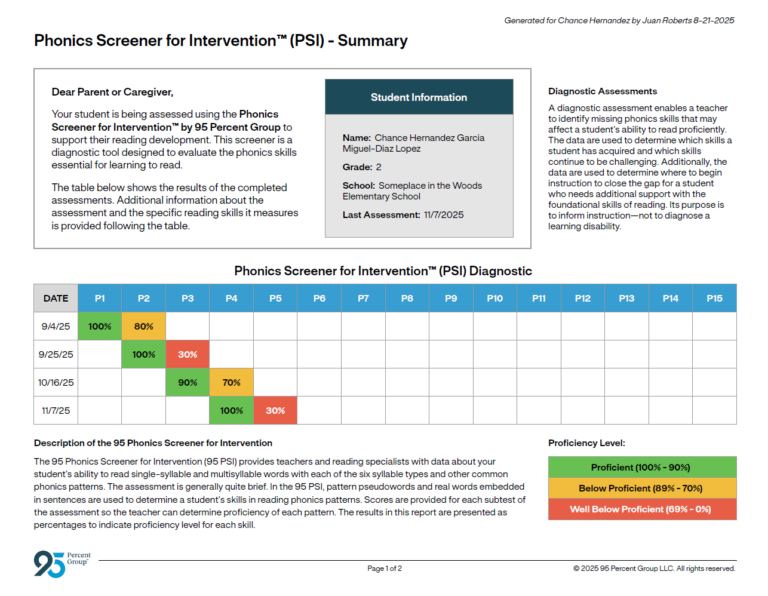
Parent report
The Parent report makes it easy to share 95 PSI and 95 PASI assessment results directly with families. Each report includes a student’s proficiency data by skill, context about the purpose of diagnostic assessment, and a visual of the phonics and phonemic awareness continua. Reports are available as downloadable PDFs in English or Spanish and can be generated for individual students or multiple students at once.
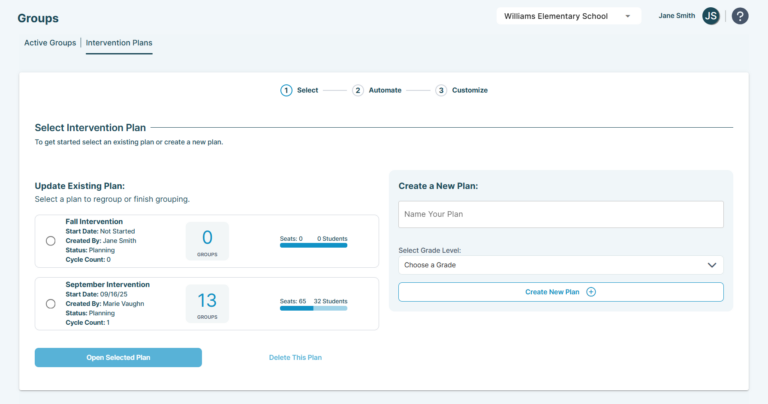
Multiple intervention plans
95 Literacy Intervention System now supports multiple concurrent intervention plans, including grade-specific plans. A streamlined three-step management process, along with improved filtering and sorting in the grouping grid, makes it easier for teachers to organize students and manage intervention efficiently.
Have questions?
If you need help or have questions about any of these features, contact our support team at support@95percentgroup.com.